 Ur Timesheet
Get the Ur Timesheet app
See your shifts, accept offers and clock in at the job. Free for workers, on iPhone, iPad and Android.


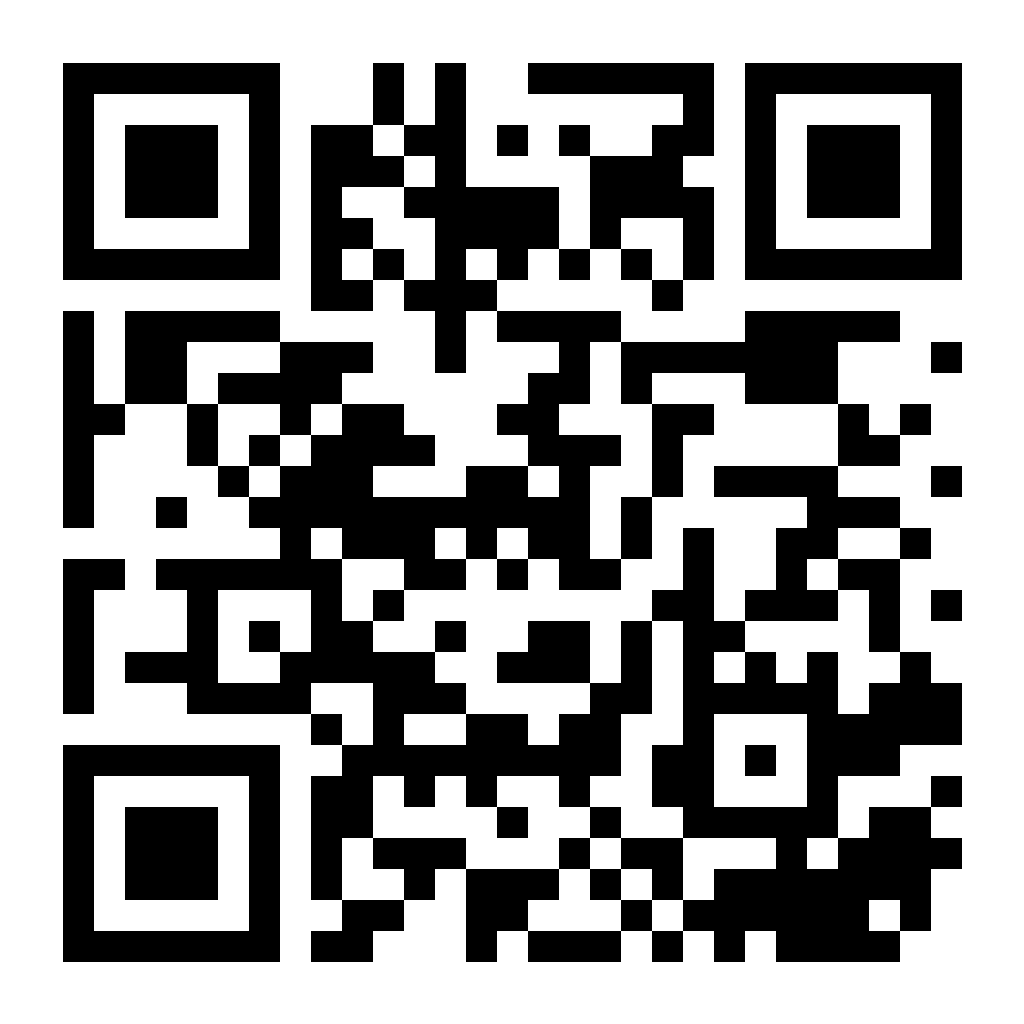
On your phone? Scan the code with the camera, or go to urtimesheet.com/app. It opens the right store for your phone.
Opened inside another app? If the store doesn’t open, tap the menu at the top and choose Open in browser.
In the app
- See your shifts and accept offers
- Clock in and out at the job
- Keep hours from any job in your Work Log
Badges & links for your company
Put the app in your emails, on your website and on the wall, so your crew finds it. Everything here is free to use.
The link
One link for every phone. iPhone and iPad open the App Store, Android opens Google Play, a computer opens this page.
https://urtimesheet.com/appThe QR code
For posters, sign-in sheets and the break room. It opens the same link.
The badges
Apple’s and Google’s official badges, in English. Websites take the SVG files, emails the PNG files. The white App Store badge is for a dark background, on its own.




Ready-made HTML
Paste it into your website, an email or your signature. Both badges, the same height, linked to urtimesheet.com/app, which opens the right store.
<a href="https://urtimesheet.com/app?from=kit"><img src="https://urtimesheet.com/badges/app-store.png" alt="Download Ur Timesheet on the App Store" width="132" height="44" style="border:0"></a>
<a href="https://urtimesheet.com/app?from=kit"><img src="https://urtimesheet.com/badges/google-play.png" alt="Get Ur Timesheet on Google Play" width="149" height="44" style="border:0"></a>
How to use the badges
- Use them as they are. Don’t change their colours, words or shape, and don’t crop, stretch or tilt them.
- Show both at the same height, side by side or one above the other. Next to Google Play, use the black App Store badge.
- Keep them at least 40 pixels tall on a screen, with empty space around each one of at least a quarter of its height.
- Link them to urtimesheet.com/app, or each badge to its own store: the App Store badge to the App Store, the Google Play badge to Google Play.
- Where your page or email has small print, add: Apple and the Apple logo are trademarks of Apple Inc. App Store is a service mark of Apple Inc. Google Play and the Google Play logo are trademarks of Google LLC.